


sickDiary is a offline program for accounting of your sick leave related to the respective ICD-10 codes. However, free text information about the illness can also be given. All appointments related to an illness entry can be created with notifications (on mobile devices). A distinction can be made between hospital and rehabilitation stays. This provides a detailed overview of recurring or new illnesses over time. The statistics page and the annual overview offer a summary of all entries. All relevant data is stored locally and encrypted. This means sensitive data always remains protected on your device. An online connection is used exclusively for downloading new versions only.
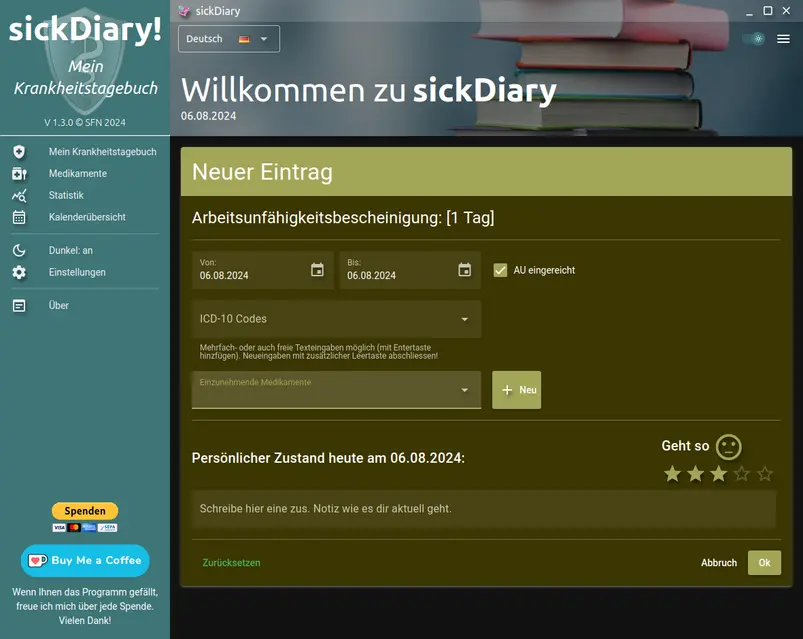
It is very easy to create a new entry. Enter the start and end date and the ICD-10 code - or select from previous entries. You can indicate whether or not you have a doctor's certificate. Days without a certificate will not be accumulated (e.g., in a follow-up program with many appointments). You can also specify any medications you are taking. Optionally, you can enter your perceived personal state of mind, as well as your current pulse, blood pressure, or temperature readings for that day. Further entries can be added once per day later.
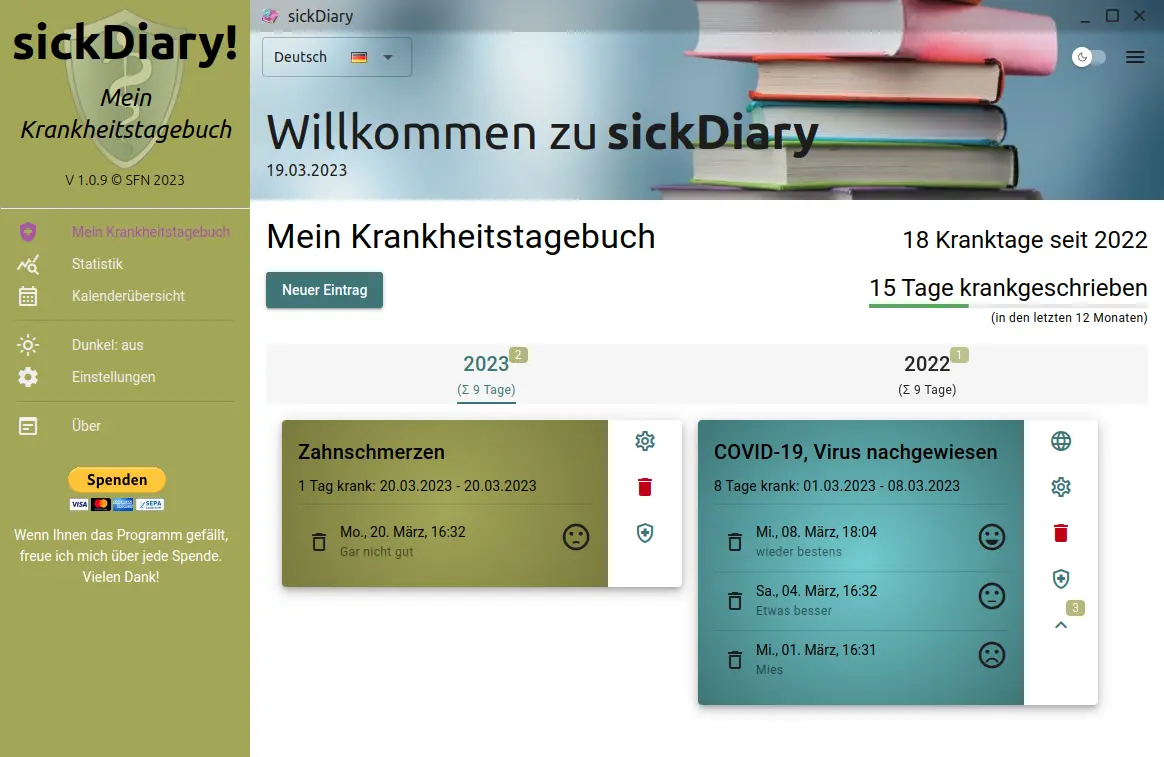
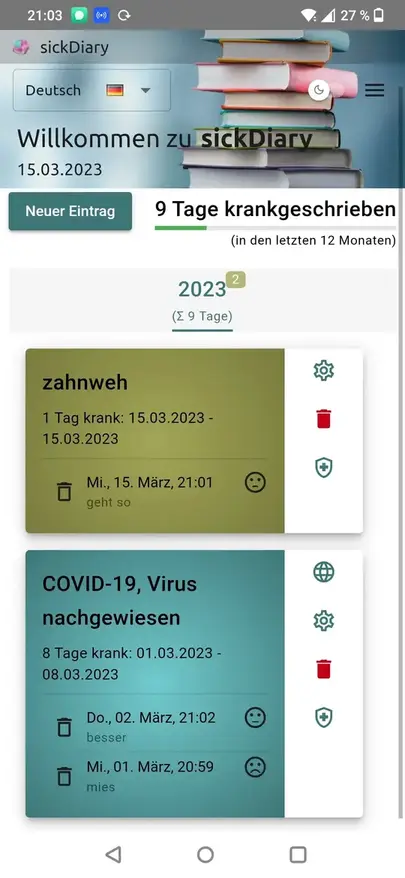
In the standard view you can see all entries of a year. The entries can be changed here at any time and also deleted again. The different color changes are used to distinguish between a regular sick note (with or without a doctor's certificate) and a hospital/rehabilitation stay. Medications taken are also displayed on the medical record, along with a graphical representation of vital signs (if more than the specified values are recorded). Appointments scheduled during this period are also shown and can be reviewed. In this view you can also see the totals of all sick days. You can also see the possibility of the light/dark view in this picture.
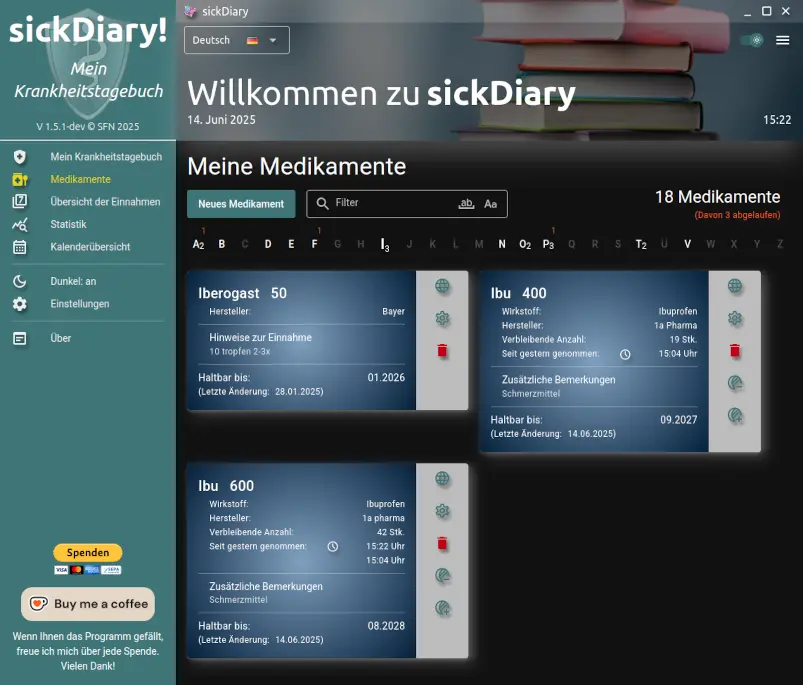
In the medication view, you can see all the medications you have entered so far, sorted alphabetically. The entries can be changed and deleted here at any time. Clicking on the globe icon searches for the medication name and active ingredient (if specified) using the preset search engine. If a medication has expired, a reddish color change is used to highlight it. In the settings, you can also delete all expired medications at once and change the URL of the search engine. You can use the filter option to search using additional information. It should be noted that the medication name, active ingredient, remarks1 and instructions1 are stored in the same encrypted form as the personal medical data itself. As mobile app, you can also set one or more system notifications for each medication entered so that you don't miss a regular dose. (1 since V1.5.1)
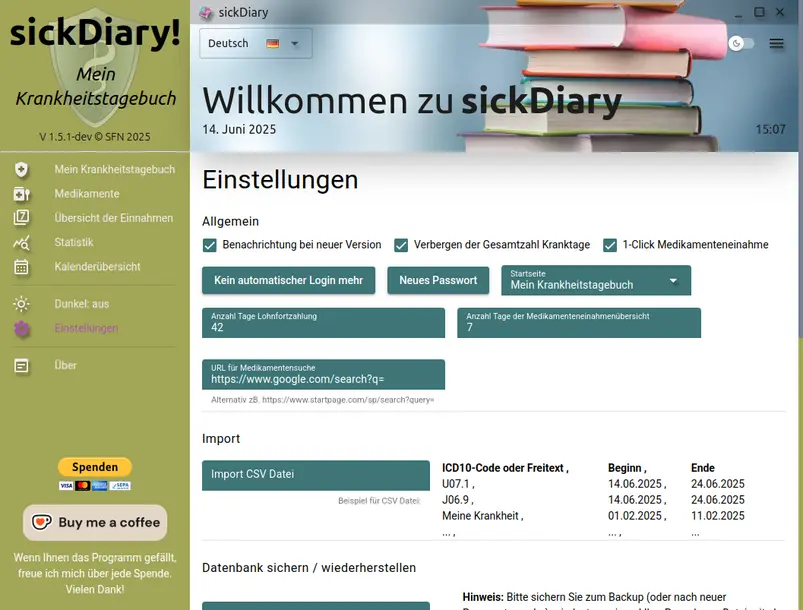
The program settings offer a variety of options for permanently saving various settings and other features, such as creating and restoring backups. A rudimentary CSV import can help integrate existing data when using the application for the first time. All options for deleting data are also listed there. In the English version of this app, it is possible to get the ICD-10 codes directly from the WHO via API. This requires an account, which you receive upon registration. With the client ID and the corresponding password, the ICD-10 code explanations are retrieved directly from there - but only in English.
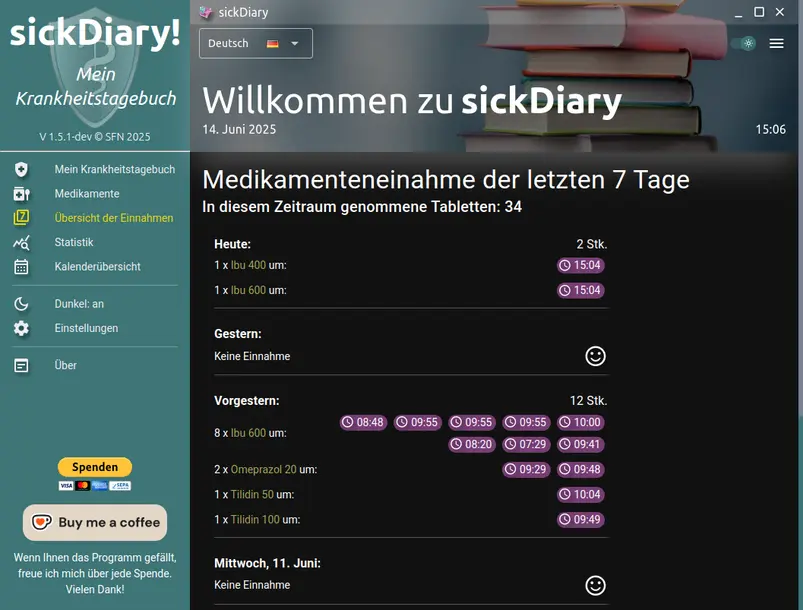
As of version 1.5, once you have specified the number of tablets for your medication, you can also record the time at which they were taken. This means that in the medication management system, a button will appear on the right-hand side, which will remove one tablet at a time. If you accidentally remove a tablet, you can undo it using the button below. The corresponding medication card will then show the reduced number, plus a timestamp of when the medication was taken, alternating with the time difference from the previous removal every 4 seconds. The maximum display period is 48 hours. The rocker switch on the right displays a total of all tablets of this medication taken (tablet. max. 50). These buttons are also available in the illness card, provided you have entered the corresponding medication there. To get an overview of all medications taken in this way, there is a new page in the menu, 'Overview of Intake'. Here you can see all medications taken in the last few days in chronological order (the number of days can be changed in the settings). There, you can also subsequently change or adjust the entry timestamp if you forgot to note it when taking the medication, thus misplacing the actual time of intake. If you always want to enter a timestamp, you can permanently disable this 1-Click behaviour in the settings. Also new with this program version is the option to select a different start page for the program launch.
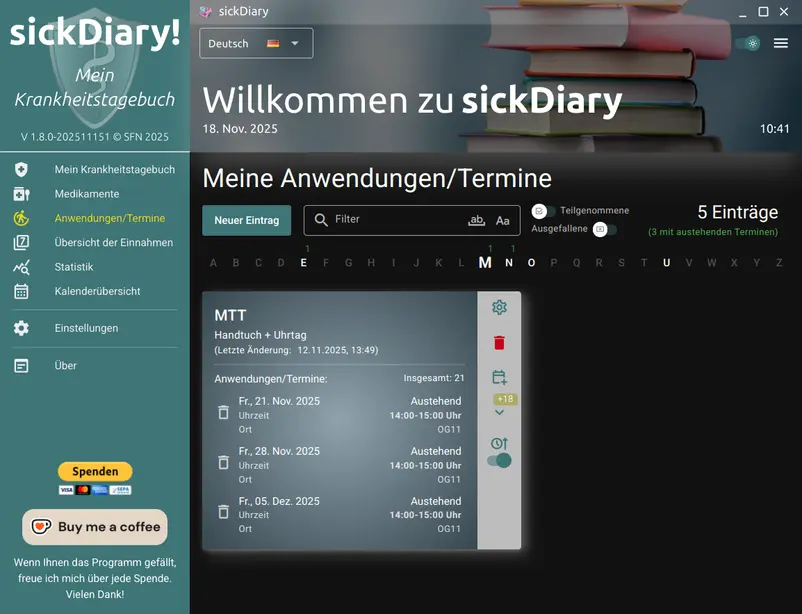
From version 1.7 onwards, it is possible to enter applications and appointments with system notifications (on mobile devices). These entries then appear in the chronological window of the respective, current medical record. This feature is particularly useful for rehabilitation stays (or aftercare programs) with up to daily, varying applications but regularly recurring appointments. Individual appointments can also be rated retrospectively. With version 1.8, applications/appointments can also be scanned via QR code. However, this is a proprietary format and intended for the administration of the respective institution.
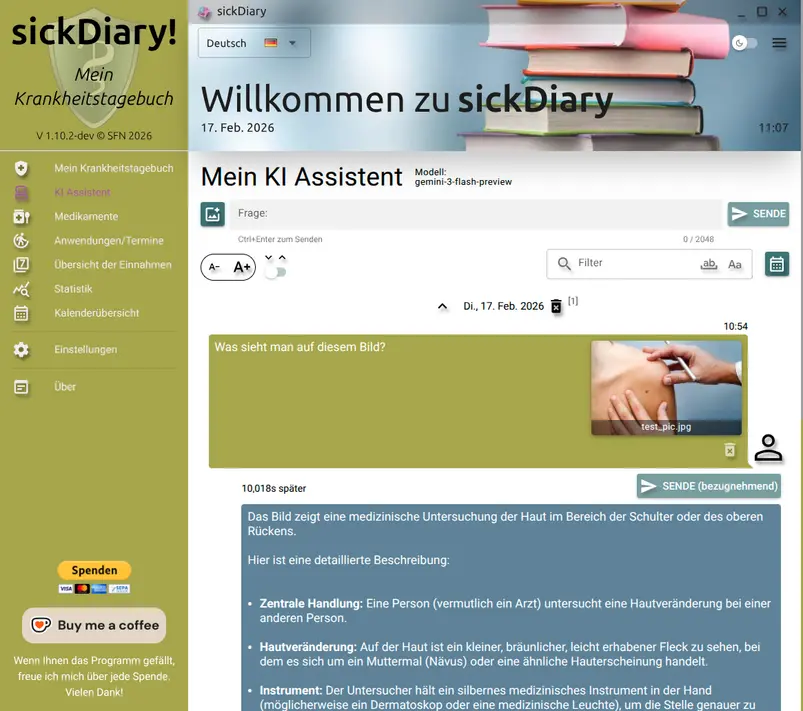
Version 1.10 added the option of chatting with an AI. However, since locally running models on smartphones are currently reserved for the very latest and top models, the API interface from Google's Gemini Interaction is used here in the first approach. This means that to use this AI chat application you need a corresponding key, which you must first obtain from Google AI Studio (BYOK) and store (encrypted) in the program settings.
In the future, however, it might be possible to imagine the additional download of a local model (e.g. medgemma) that is compressed for smartphones and specialized in medical questions, or to allow such a model to run in a separate backend (server) for this app (which, however, would not be cost-neutral to implement). This means that all AI requests are currently assigned to your registration with Google AI Studio . However, the chat history can be saved persistently in the database (program settings) and is also stored encrypted like the other sensitive data. With a filter option and a calendar, past chats can be found without making AI requests again. There is also the option to include a picture for each question/prompt. The image can be taken directly or taken from the image gallery.
Whether automation tasks will be added within this app or voice input in the future cannot yet be answered with certainty.
From version 1.10.5 it is now also possible to use a self-operated AI-LLM based on Ollama. This way, data is neither sent-to nor saved by Google anymore. Your data will remain encrypted on your device. The number of prompts is limited to a monthly quota and is currently valid for one month from program registration. An extension of the term must then be requested separately by paying a contribution to the costs.
At moment there are three different models, particularly trained on medication issues to choose from (2 with image analysis).
However, the use of the Google-based query can be enabled again at any time in the settings.
Use sickDiary with all features aswell on your mobile (Only for Android devices, atm)
Multiple entries
At the moment there are no downloads available.
Do you have any questions or suggestions about sickDiary? Don't hesitate to contact me.
This program is distributed in the hope that it will be useful, but WITHOUT ANY WARRANTY; without even the implied warranty of MERCHANTABILITY or FITNESS FOR A PARTICULAR PURPOSE. Despite careful research and development, errors may arise for which the creators of the data records assume no liability, which may arise from the use of this data (in whole or in part) in any way. Use is expressly only permitted for private purposes. This application itself was created out of purely non-commercial, private interest and is also operated exclusively non-commercially and privately by me.
However, I would appreciate donations if you like it.